17 September 2026
Claude now builds the report and deck in one conversation
This week's newsletter arrives two days later than usual. All three stories are ready to use today: Claude makes documents and presentations inside the conversation, ChatGPT has a new image model, and Copilot builds a small app from a description.
At the bottom is a method that gets you a more reliable answer in all four tools.
In short
- Claude Docs and Slides → Claude writes documents and presentations in the conversation, and chat and Cowork have become one.
- ChatGPT Images 2.5 → A new image model for everyone that keeps your reference photo intact.
- Apps in Copilot → Describe a workflow, and Copilot builds an app that can use your organization's data.
- This week's method → Ask for a review pass before you use the answer.
- Also this week → Gemini Live got a new model, and ChatGPT Work got a data agent.
Claude can now deliver a document or a deck, not just an answer
Claude Docs and Claude Slides are two new tools in Claude that turn what you ask for in a conversation into a document or a presentation. You can edit the result, share it as a link, and download it as PowerPoint or PDF.
It is not a new way of chatting. The difference is that the result is a real document you can keep working in, not text you copy over yourself.
At the same time, Claude Cowork and the regular chat have been merged into one Claude. You no longer have to decide where a task belongs.
All three are in beta and roll out to Pro and Max over the coming weeks. Team and free follow later.
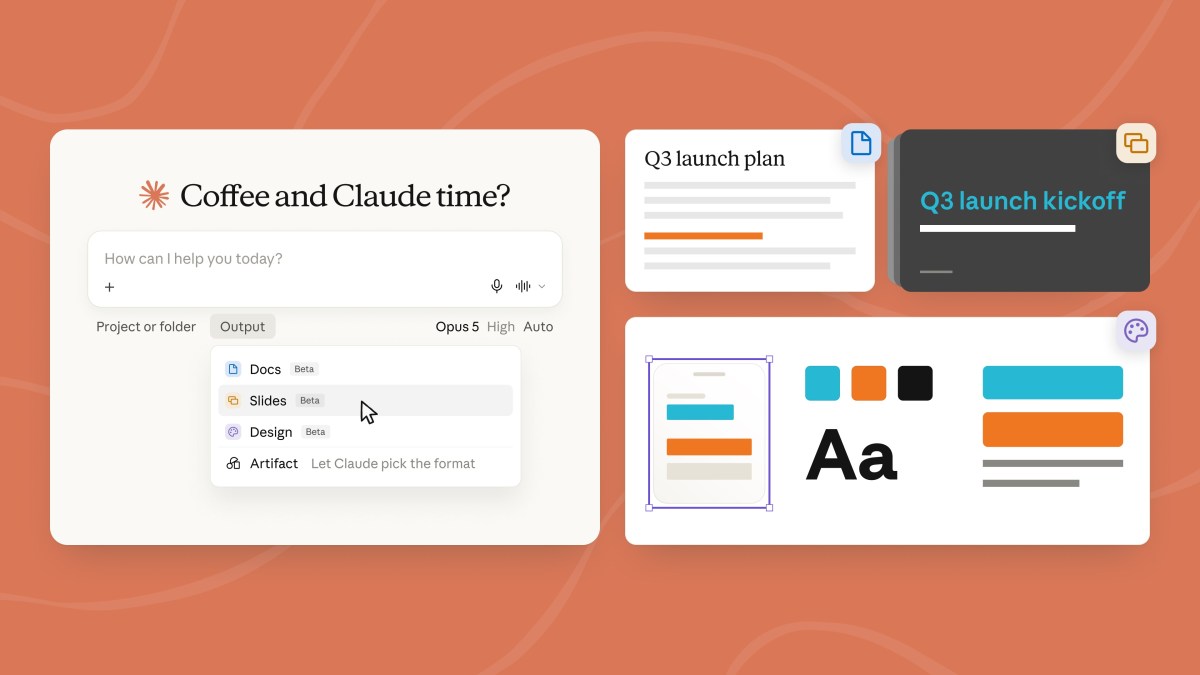
What it means: The next report or deck you would have built yourself, you can now ask for in the conversation where the material already sits. On a Team or Enterprise plan, your administrator has to switch it on first.
ChatGPT now keeps your photo intact when you edit an image
ChatGPT Images 2.5 is OpenAI's new image model, and it is available to every ChatGPT user, regardless of plan.
What is new is not that the images look better. It is that the model preserves what you give it: a reference photo of a product or a person is recognized in new surroundings, and if you edit in several rounds, it holds on to the earlier changes.
Waiting time is cut by up to half, says OpenAI, and a new drawing feature, Sketch, turns a rough sketch into the basis for the finished image.
How to use it: Use it when an image has to build on something you already have, for example a product photo that needs to appear in a new setting, or a graphic that needs several rounds of edits. Do not expect it to read your mind: still write what should change and what should stay. Attach the photo, and describe only the one change you want.
What it means: Graphics for posts and decks where a single element needs replacing can now be edited without the rest shifting. The model is the default, so there is nothing to switch on.
Copilot can now build an app from a description
App building in Copilot is a new feature in Copilot Cowork and Copilot Studio where you describe a workflow in plain language, and Copilot turns it into a working app. You describe the purpose, the users and the data.
It is not the same as asking Copilot for an answer. The result is a small program with screens and buttons that can read and write data in the systems your organization has granted access to. Microsoft's own example is an onboarding app that shows how far a new colleague has got.
In Copilot Cowork you start with the /app command, and in Copilot Studio you choose App on the front page. Both are in preview.
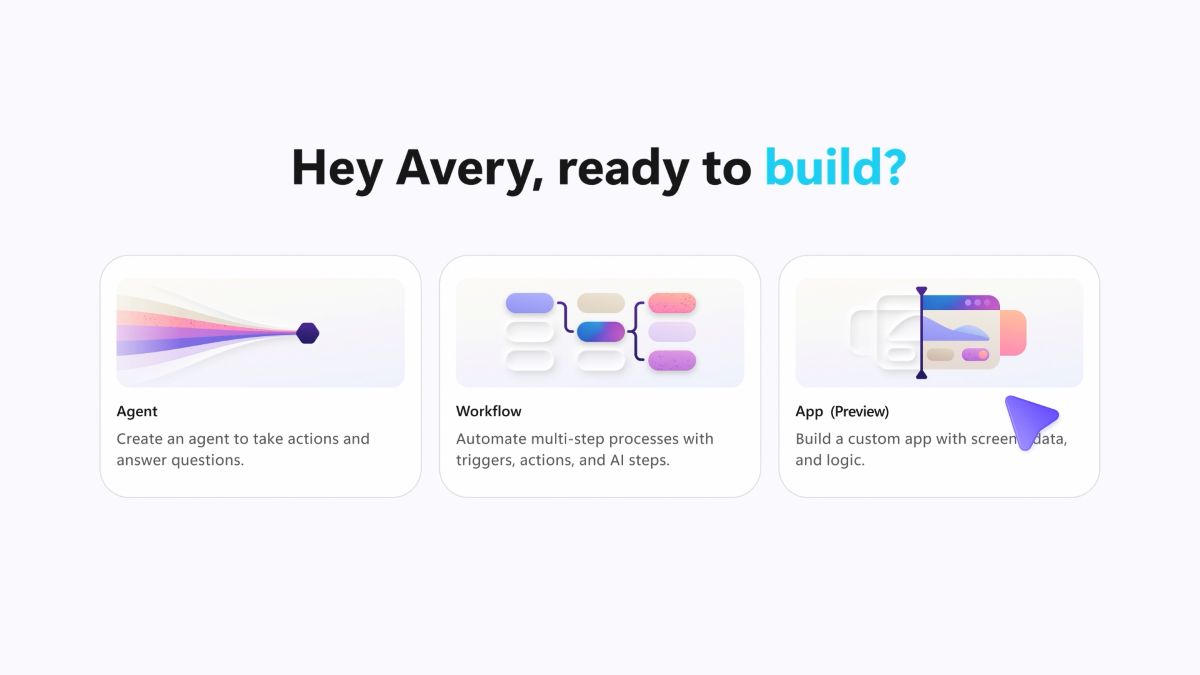
What it means: The small internal tools nobody has time to get built can now be made by the person who needs them. Access requires that IT has said yes to Microsoft's Frontier program or to Copilot Studio, so ask there first.
Also this week
- Gemini Live got a new model → Gemini 3.8 Live Extended Thinking is now the model behind Gemini Live, the voice conversation, built for tasks with several steps.
- ChatGPT Work has a data agent → It connects to your company's data sources and builds dashboards from a question, but an administrator has to switch it on.
Ask for a review pass before you use the answer
A review pass is an extra message where you ask the AI to go through its own answer for errors before you use it. It does not replace reading the most important parts yourself, but the obvious mistakes are found in advance.
With meeting minutes, an application or a summary of a long document, that is where invented details slip through, because they look right.
Send this message once the answer has arrived:
"Go through your answer above as a critical colleague. Find every claim that is not in the material I gave you, and mark it. Find every phrase that can be read in two ways. Do not correct anything yet, just give me the list."
The last part is the most important. If you ask for corrections straight away, you get a new answer to read from the top again.
One example is minutes where the review pass finds a decision that was never made in the meeting.
The method works in ChatGPT, Copilot, Claude and Gemini, and it works best when the material is in the conversation, because then the model has something concrete to hold the answer up against.
Worth reading
- What people use ChatGPT for outside their own field → OpenAI's analysis of 1.5 million work messages, where customer dialogue and marketing copy are what people most often come back to.
- A lawyer used ChatGPT and got invented witnesses → A case where nobody checked the answer. It is the whole reason for this week's method.
- What the top executives say about slowing down → The reactions to the Anthropic CEO's essay, collected by The Verge. Nothing changes in the tools yet.